
TidyCal Review 2026: Pricing, Pros, Cons and Alternatives
TidyCal's Free, Lifetime and Pro plans, what a one-time payment saves against Calendly over three years, the 1% booking fee, and when Cal.com or SavvyCal fits better.

TidyCal is worth it in 2026 for a solo professional who wants paid bookings and Zoom links without a subscription: the Individual Lifetime plan costs $29 once. Pro costs $12 a month or $99 a year and removes branding and the 1% booking fee, per TidyCal's pricing page read on November 10, 2026.
Over three years, Lifetime costs a fraction of Calendly Standard billed yearly, by our arithmetic. Buy Lifetime unless you need a custom domain, more than 10 calendars or you take enough card payments for the 1% fee to outgrow Pro's price.
Key factsBest for: Solo professionals who sell sessions and want to pay once…
- A booking-page tool with paid bookings on every plan and one-time Lifetime licenses.
- Free plan: TidyCal Free includes unlimited bookings and paid bookings, but connects only one calendar.
- Platform fee: Free and Lifetime plans add a 1% fee on Stripe payments; Pro charges no platform fee.
- Calendar sync: Every plan writes bookings to one calendar; Lifetime plans read up to 10, Pro reads unlimited.
- Toolradar data: The median cheapest paid plan across 58 priced meeting scheduling tools on Toolradar is $19 a month, November 2026.
Pros
- Lifetime plans are one-time payments with no renewal.
- Paid, package and subscription bookings work even on Free.
- API, MCP and webhooks are included on every plan.
Cons
- Free and Lifetime plans add a 1% fee on Stripe payments.
- Bookings write to one calendar on every plan.
- Custom domain and branding removal need the Pro subscription.
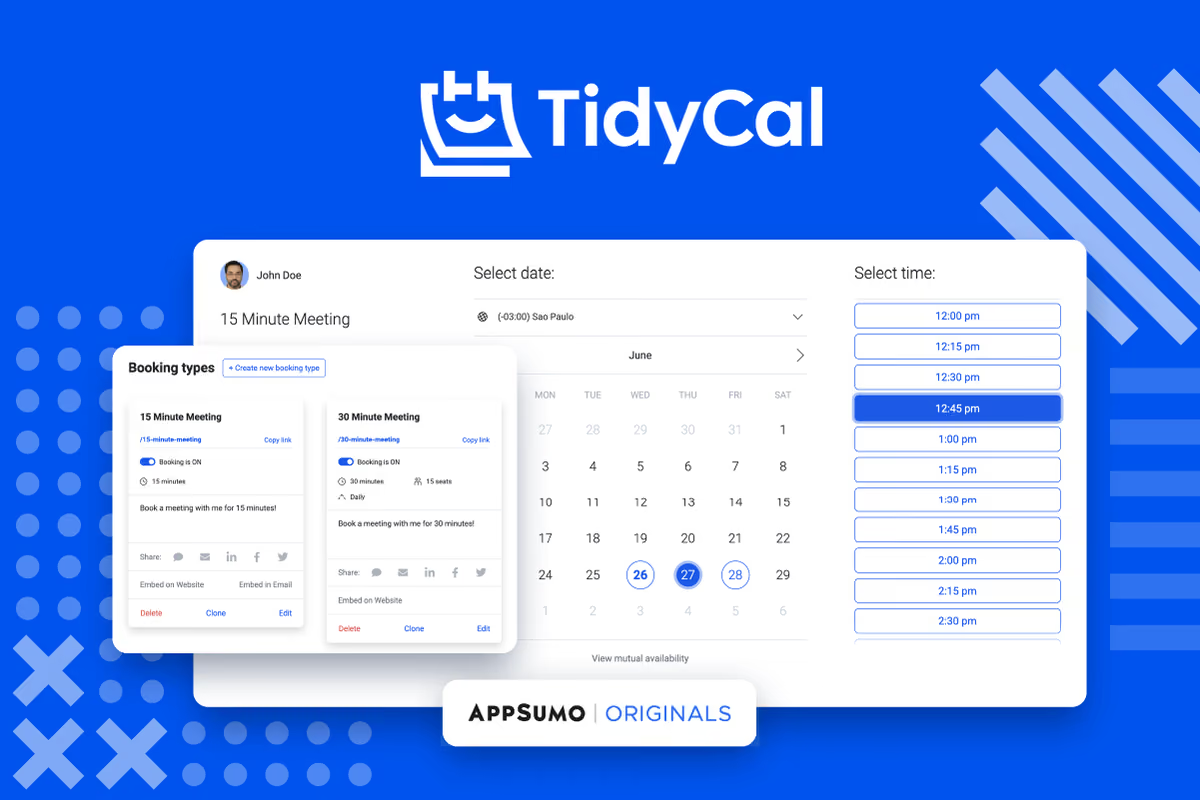
TidyCal is a booking-page tool from Sumo Group, sold in its Lifetime form on AppSumo, and its pitch is price: a one-time Lifetime license instead of a monthly seat. That makes it the odd one out among schedulers, where Calendly, Cal.com's team plan and SavvyCal all charge per user per month. The question is not whether it books meetings, which it does on every plan, but what the cheap license leaves out.
Techpresso data: Toolradar, the software directory we run, tracks 116 meeting scheduling tools, and the median cheapest paid plan across the 58 that publish a price is $19 a month, as of November 10, 2026 (Toolradar meeting scheduling ranking). TidyCal Pro billed monthly sits well under that median, and Lifetime has no monthly cost at all. Techpresso's 820,000+ readers get tool price changes like these in the daily newsletter.
Methodology: on November 10, 2026 we read TidyCal's pricing page, including its feature table and pricing FAQ, and the pricing pages of Calendly, Cal.com and SavvyCal. Multi-year totals are our arithmetic on printed prices for one host.
What is TidyCal?
TidyCal gives you a booking page where clients pick a slot from your calendar, and it supports one-on-one, group, recurring and package bookings. Paid bookings through Stripe and PayPal, discount codes and subscriptions work even on the Free plan, which is generous next to Calendly, whose free tier stops at one event type.
The paid tiers mostly add polish and control. Individual Lifetime adds automatic Zoom, Google Meet and Teams links, custom emails, booking limits, AI features, Google Analytics and Tag Manager, and up to 10 calendar connections.
Agency Lifetime adds round robin and collective meetings, a team booking page and 10 SMS reminders a month for US and Canadian numbers, and it covers you plus 3 team members (4 seats), per AppSumo's TidyCal listing for the deal sold since September 1, 2026.
Pro adds a custom domain, removes TidyCal branding, and lifts calendars and SMS reminders to unlimited.
An API, an MCP server and webhooks are included on every plan, so you can connect TidyCal to Claude, ChatGPT or your own apps without upgrading. For the wider field, our best appointment scheduling software guide ranks the main options.
How TidyCal works
You sign up free, connect a Google, Office 365 or Apple calendar, and build booking types. A built-in importer brings Calendly event types across as TidyCal booking types, so switching does not mean rebuilding them by hand. Lifetime plans are bought on AppSumo and then activated on your TidyCal account; Pro is sold on TidyCal's own site.
The calendar limits are the detail to read before buying. TidyCal reads busy times from several calendars, one on Free, 10 on Lifetime and unlimited on Pro, but writes bookings to a single calendar on every plan. If you split work across a Google Workspace and a personal Gmail, that is usually fine, because both still block busy times.
If you need bookings to land in different calendars by booking type, the paid plans let you set calendars per booking type.
Money flows through your own Stripe or PayPal account. On Free and both Lifetime plans, TidyCal adds 1% on Stripe payments on top of Stripe's own fees, and Pro removes that fee. Cancelling Pro drops you back to Free or to any Lifetime license you own, so buying Lifetime first keeps a floor under you.
TidyCal key features
TidyCal pricing
TidyCal's pricing page, read on November 10, 2026, lists four plans. Free costs nothing. Individual Lifetime and Agency Lifetime are one-time payments shown against struck-through prices of $144 and $240. Pro is billed monthly or yearly at the prices in the plan table. The yearly Pro card also shows a Black Friday offer of $59.40 for the first year, then the regular yearly price; that is a limited-time deal, so we used list prices below.
We priced one host over three years. Every total is our arithmetic on printed prices. Calendly Standard is $10 per seat a month billed yearly, SavvyCal Basic is $120 per user a year, and Cal.com is free for one user, with paid plans aimed at teams.
| Plan | Year 1 | 2 years | 3 years |
|---|---|---|---|
| TidyCal Free or Cal.com Free | $0 | $0 | $0 |
| TidyCal Individual Lifetime | $29 | Nothing more | Nothing more |
| TidyCal Pro, yearly | $99 | $198 | $297 |
| Calendly Standard or SavvyCal Basic, yearly | $120 | $240 | $360 |
| TidyCal Pro or Calendly Standard, monthly | $144 | $288 | $432 |
Over three years, Lifetime costs $331 less than Calendly Standard billed yearly, and TidyCal Pro on monthly billing costs exactly what Calendly Standard does. The 1% platform fee is the hidden cost on the cheap plans. Pro's yearly price buys out that fee once you take more than $9,900 a year in Stripe bookings. In the first year, when Pro's extra cost over Lifetime is $70, the break-even is $7,000, both by our arithmetic. A coach billing less than that through Stripe should stay on Lifetime and accept the fee, since it will cost less than the subscription would.
| Plan | Price | Best for |
|---|---|---|
| TidyCal Free | $0 | Unlimited bookings and booking types, paid, group, recurring and package bookings, 1 calendar, 1% fee on Stripe payments |
| TidyCal Individual Lifetime | $29 one-time | Auto meeting links, custom emails, booking limits, AI features, 10 calendar connections, reduced branding |
| TidyCal Agency Lifetime | $79 one-time | Adds round robin and collective meetings, a team page and 10 SMS reminders a month in the US and Canada, for you plus 3 team members |
| TidyCal Pro | $12/mo or $99/yr | Custom domain, no branding, no platform fee, unlimited calendars and SMS reminders, priority support |
| Calendly Standard | $10/seat/mo billed yearly | Unlimited event types, multiple calendars, automations and reminders, Stripe and PayPal |
| Cal.com Free | $0 | One user, unlimited links and calendars, Stripe and PayPal payments, Calendly importer |
| SavvyCal Basic | $120/user/yr ($144 monthly) | Bookable scheduling links with calendar overlay; 30-day money-back guarantee, no free booking plan |
TidyCal pros and cons
What we like
- Lifetime plans are one-time payments with no renewal.
- Paid, package and subscription bookings work even on Free.
- API, MCP and webhooks are included on every plan.
What could be better
- Free and Lifetime plans add a 1% fee on Stripe payments.
- Bookings write to one calendar on every plan.
- Custom domain and branding removal need the Pro subscription.
Who TidyCal is for
TidyCal fits a coach, consultant, tutor or freelancer who takes bookings alone and wants to pay once. Lifetime covers paid sessions, packages and automatic video links for the price of a few months of most subscriptions, and the Free plan is enough to test the booking flow before you buy. Small agencies of up to four people that need round robin get the same pay-once deal with Agency Lifetime, which covers you plus 3 team members, so a fifth hire means looking past it.
Skip it in three cases. Teams that need routing forms, CRM sync or SSO are better served by Calendly Teams or Cal.com, compared in our Calendly vs Cal.com breakdown and the Cal.com review. Anyone who needs bookings written to several calendars should check that limit first. And a solo user who only needs a free link with unlimited calendars can stay on Cal.com Free and pay nothing. Toolradar's Calendly vs TidyCal comparison lines the two up feature by feature.
Best TidyCal alternatives
If TidyCal is not the right fit, these are the closest options.
| Tool | Best for | Starts at | |
|---|---|---|---|
| TidyCal | Solo professionals who sell sessions and want to pay once instead of a monthly seat. | Pro $8.25/mo on the annual plan · custom-priced plans too | Visit → |
| Calendly | Sales and client-facing teams whose invitees already know the Calendly booking flow. | Free plan · Standard $10/mo per seat · Teams $16/mo per seat · custom- | Visit → |
| Cal.com | Solo users who want unlimited calendars free, and teams that want open, API-friendly scheduling. | Free plan · Teams $12/mo per user · Organizations $28/mo per user · cu | Visit → |
| SavvyCal | Professionals who want invitees to overlay their own calendar when picking a time. | Free plan · Basic $10/mo per user on the annual plan · Premium $17/mo | Visit → |


The bottom line
TidyCal is worth it on the Individual Lifetime plan for a solo professional who takes bookings and payments and does not need a custom domain. Move to Pro only when your Stripe bookings are large enough that the 1% fee costs more than the subscription, or when a branded domain matters to clients. Teams that need routing and CRM sync should stay with Calendly or Cal.com.
For more on the alternatives, see our Calendly review, Calendly pricing, Calendly alternatives, SavvyCal vs Calendly and the Acuity Scheduling review; TidyCal's own profile is on Toolradar.
Prices were checked on November 10, 2026 on TidyCal, Calendly, Cal.com and SavvyCal. Multi-year totals are our arithmetic. Techpresso covers tool pricing in its daily newsletter; subscribe free.
Cite this: Techpresso, "TidyCal Review 2026: Pricing, Pros, Cons and Alternatives", November 2026.
Frequently asked questions
Is TidyCal worth it in 2026?
How much does TidyCal cost?
Does TidyCal charge fees on paid bookings?
Is the TidyCal Lifetime deal really lifetime?
TidyCal vs Calendly: which is cheaper?
Sources
Prices and plan details come from each vendor's own pricing page, re-checked by the Toolradar pricing tracker.
- Calendly pricingchecked Sep 2026
- Cal.com pricingchecked Sep 2026
- SavvyCal pricingchecked Sep 2026
Some offers on this page may be paid placements or contain affiliate links.
Get the Techpresso brief
Free daily newsletter, read in 5 minutes.
Subscribe free