
Akiflow Review 2026: Pricing, Pros, Cons and Alternatives
What Akiflow Pro costs on monthly, yearly and prepaid terms, what the AI add-on adds, and how a year of it compares with Sunsama, Motion, Morgen and Reclaim.ai.

Akiflow is worth it only on yearly billing: Pro costs $228 a year, while paying $34 month to month adds up to $408, by our arithmetic on prices read on November 9, 2026. There is no free plan. The 7-day trial asks for a card and turns into a paid subscription unless you cancel, and Akiflow's terms say purchases are non-refundable. It fits keyboard-first professionals who want every inbox feeding one time-blocked calendar; Sunsama costs $24 less a year and Morgen $48 less.
Key factsBest for: Keyboard-first professionals who want tasks from every…
- A task inbox plus a two-way synced calendar, with an AI assistant and MCP Connector included in its one Pro plan.
- Plans: One Pro plan for individuals, with team pricing on request
- Free plan: None; a 7-day trial that requires a card
- Yearly discount: 44% off when you pay for the year up front
- Platforms: Web, macOS, Windows, iOS and Android
Pros
- Aki AI assistant, MCP Connector and a 1:1 onboarding call included in Pro.
- Two-way sync with Google, Outlook and iCloud calendars, plus 19 listed integrations.
- List price unchanged since at least January 2024 on both billing options.
Cons
- Trial lasts 7 days, needs a card and converts unless cancelled; purchases are non-refundable.
- A year on monthly billing costs $408, the second-highest solo bill compared here after Motion's.
- The AI Meeting Assistant is extra, and team pricing is quote-only.
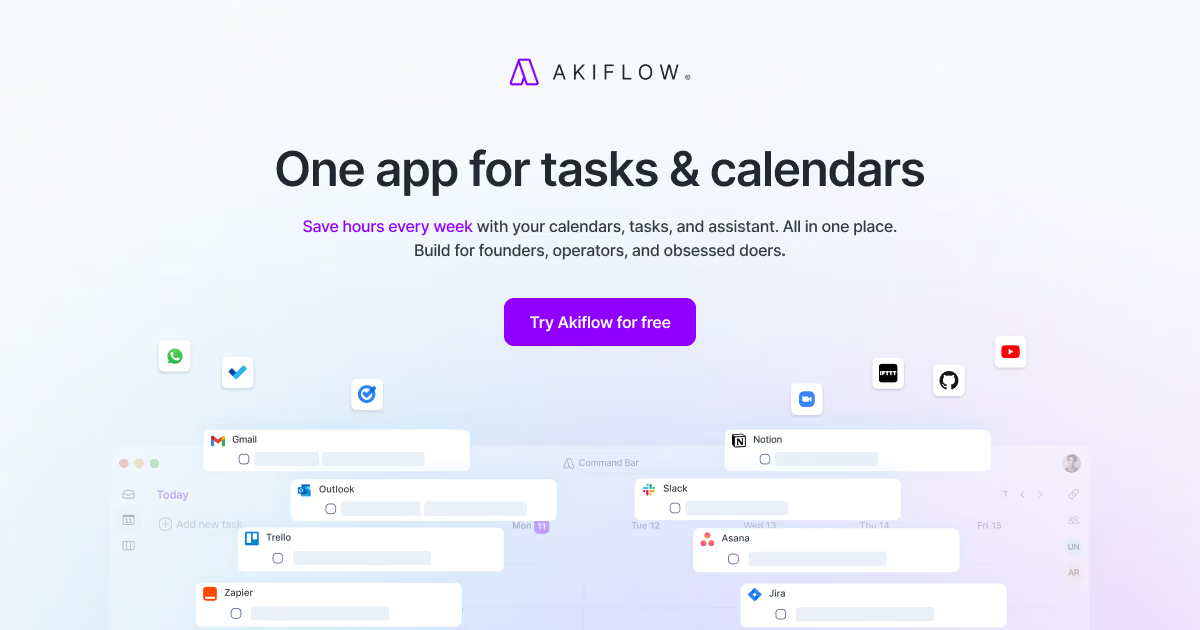
Akiflow sells one plan and lets the billing term decide most of the price. The same Pro features cost 44% less when you pay for a year up front, so the real question is not which tier to buy but whether you are sure enough to commit for twelve months after a one-week trial. That is a bigger ask than its rivals make, and this review is built around it.
We priced Akiflow Pro on monthly, yearly and the prepaid multi-year terms Akiflow lists, added the optional AI Meeting Assistant, and set a first year against Sunsama, Motion, Morgen, Reclaim.ai and TickTick.
Every Akiflow figure comes from Akiflow's pricing page, its FAQ and its terms of service, read on November 9, 2026; rival prices come from each vendor's own pricing page on the same day.
Toolradar data: Akiflow's monthly entry price ranks 29th of the 33 calendar tools with a verified entry price on Toolradar, the software directory we run, against a peer median of $10 a month, as of November 5, 2026.
Of the 100 calendar tools Toolradar tracks, 61% keep a free plan; Akiflow does not. Buyers still shortlist it: Akiflow is listed as an alternative to 24 other tools, joint 8th of those 100.
What is Akiflow?
Akiflow is a paid planner that merges a task inbox with your calendars so you can time-block work next to meetings. It is a Y Combinator-backed company, and its app runs on the web, macOS, Windows, iOS and Android, according to the structured data on its pricing page.
The core idea is consolidation. Native integrations pull items from Gmail, Outlook email, Slack, Microsoft Teams, Notion, Asana, ClickUp, Trello, Todoist, Jira, GitHub, Linear and Microsoft To Do into one inbox, and Google, Outlook and iCloud calendars sync both ways.
Zapier and IFTTT cover the rest. From that inbox you drag tasks onto the calendar, or type a natural-language command such as "call John today at 3pm for 1 hour".
On top sits Aki, an AI assistant included in Pro that can reschedule conflicts and run routines from a prompt, plus a hosted MCP Connector so outside AI assistants can read and write your tasks. A separate AI Meeting Assistant records calls and turns action items into tasks, but it costs extra.
For the directory listing and user ratings, see the Akiflow profile on Toolradar.
How Akiflow works
Akiflow works in three moves. First, capture: a global shortcut opens a quick-add bar from anywhere on the desktop, and connected apps drop emails, Slack messages and tickets into the inbox automatically. Second, plan: a daily planning ritual shows yesterday's leftovers and today's calendar, and you drag tasks into time slots or onto the calendar itself.
Third, review: a daily shutdown and productivity analytics show what got done and where the hours went.
The design rewards people who live on the keyboard. Command-bar shortcuts handle duration, project, tags and deadlines with special characters, bulk actions clear the inbox fast, and tasks can be locked to a specific calendar account.
Availability sharing and booking links come in the same plan, which covers light scheduling without a separate Calendly seat, though a full scheduler does more; our Calendly review prices that path.
The trade-off is manual planning. Akiflow helps you place tasks, but it does not rebuild your week on its own the way Motion or Reclaim.ai try to. If you want software that moves blocks around when a meeting lands, read our AI scheduling apps ranking first.
Akiflow key features
Akiflow pricing
Akiflow sells one individual plan, Pro, listed on Akiflow's pricing page in US dollars on November 9, 2026. Pro costs $34 a month on monthly billing, or $19 a month on yearly billing, which the FAQ states as $228 charged once a year, a 44% saving by Akiflow's own label.
In November 2026 the yearly card also carried a Promo badge showing a temporary $16 a month; this review uses the standing price stated in the FAQ. Pro includes tasks, calendars, integrations, Aki, the MCP Connector and a free 1:1 onboarding call.
The FAQ adds that local purchasing-power pricing may apply in some countries, so the checkout price for your location is the one you pay.
A first year for one person, by our arithmetic on printed prices: twelve monthly payments come to $408, or $180 more than the yearly charge. The monthly total passes the yearly price in month seven, so yearly billing wins for anyone who keeps the app longer than six months.
Adding the AI Meeting Assistant at $19 a month brings a yearly Pro subscriber to $456 for the year.
Longer terms and discounts. The plan data on Akiflow's pricing page also lists Believer prepaid terms of $357.60 for two years and $699 for five years, and the terms of service describe the five-year plan as billed once every five years.
The five-year price works out to $139.80 a year by our arithmetic, but it means paying for five years on day one. Verified university students and researchers get 40% off Pro Yearly for life, about $136.80 a year by our arithmetic. Team pricing is not published; Akiflow asks teams to contact sales.
Trial and refunds. The FAQ says the 7-day trial gives full access but requires a card, and the chosen subscription starts when it ends unless you cancel. Akiflow's terms state that purchases are non-refundable, with exceptions where local consumer law grants a withdrawal or cooling-off period, as in the EU and UK.
Price history: an archived copy of Akiflow's pricing page from January 11, 2024 showed the same monthly and yearly rates, so the list price has not moved in almost two years.
Methodology: we read the pricing pages of Akiflow, Sunsama, Motion, Morgen, Reclaim.ai and TickTick on November 9, 2026, used standing list prices only, and multiplied monthly prices by 12 where a vendor prints no yearly total. Motion's one-person prices come from the plan data behind its Individuals toggle.
| Plan | Price | Best for |
|---|---|---|
| Akiflow Pro, billed yearly | $228/year | Tasks, calendars, integrations, Aki AI assistant, MCP Connector and a 1:1 onboarding call |
| Akiflow Pro, billed monthly | $34/mo | The same Pro features with no annual commitment |
| Akiflow Pro, a year on monthly billing | $408/year (our arithmetic) | Twelve monthly payments; more than the yearly charge from the seventh month |
| Believer, prepaid 2 years | $357.60 | Pro for two years paid up front, listed in Akiflow's pricing page data |
| Believer, prepaid 5 years | $699 | Pro for five years, billed once every five years under Akiflow's terms |
| AI Meeting Assistant add-on | $19/mo | Recording, transcripts, summaries and action items; needs an active Pro subscription |
| Team | Contact sales | Shared workspace and team schedules, priced directly by Akiflow |
Akiflow pros and cons
What we like
- Aki AI assistant, MCP Connector and a 1:1 onboarding call included in Pro.
- Two-way sync with Google, Outlook and iCloud calendars, plus 19 listed integrations.
- List price unchanged since at least January 2024 on both billing options.
What could be better
- Trial lasts 7 days, needs a card and converts unless cancelled; purchases are non-refundable.
- A year on monthly billing costs $408, the second-highest solo bill compared here after Motion's.
- The AI Meeting Assistant is extra, and team pricing is quote-only.
Who Akiflow is for
Akiflow suits a professional whose work arrives through many channels and who wants to place it on the calendar by hand: a product manager triaging Jira, Linear and Slack, a founder answering email between calls, a developer who wants GitHub issues next to meetings.
The keyboard shortcuts and command bar matter most to people who already use tools like Raycast or Superhuman and dislike reaching for the mouse. The included Aki assistant and MCP Connector add value if you already work with AI assistants.
Skip it if you need a long, low-risk trial: seven days with a card on file is the least forgiving entry among the planners compared here, while Sunsama and Morgen give 14 days with no card.
Skip it too if you want the calendar to rearrange itself, which is Motion's and Reclaim.ai's job, or if you only need dated tasks, where our Todoist review and TickTick review cover options at a fraction of the cost.
Teams should note that per-seat pricing is quote-only, which makes budgeting harder than with Morgen's or Reclaim.ai's printed team rates.
Best Akiflow alternatives
If Akiflow is not the right fit, these are the closest options.
| Tool | Best for | Starts at | |
|---|---|---|---|
| Akiflow | Keyboard-first professionals who want tasks from every inbox time-blocked on one calendar. | No free plan | Visit → |
| Sunsama | People who want a guided daily plan and shutdown ritual rather than a fast capture tool. | No free plan | Visit → |
| Motion | People who want AI to build and reshuffle their schedule automatically. | Pro AI for one person $29/mo billed annually or $49 monthly | Visit → |
| Morgen | Time-blockers on several calendars who want a cheaper yearly bill and a refund window. | Pro $15/mo billed yearly or $30 monthly | Visit → |
| Reclaim.ai | Google or Outlook users who want focus time and habits defended automatically for little money. | Free Lite plan | Visit → |
| TickTick | Budget buyers who want tasks, a calendar view and habits without a planner subscription. | Free plan | Visit → |


The bottom line
Buy Akiflow on yearly billing if you want one fast inbox for every task source and will time-block your own day; skip it if you need a free plan, a long trial or a refund. On yearly billing it sits between Morgen and Motion on price, and the AI assistant and MCP Connector come with no surcharge.
Monthly billing is the expensive way in: over a year it costs 79% more by our arithmetic, so use the 7-day trial on a busy week and decide before it converts.
If you are not sure a typed, keyboard-driven planner suits you, start with a rival that offers a longer trial without a card; our Sunsama review prices that path in detail.
See how Akiflow ranks against the field in our best daily planner apps guide, compare cheaper task lists in Todoist vs TickTick and Todoist pricing, and read AI for productivity and how to automate your workday with AI for where an assistant like Aki fits.
For a wider list of rivals, Toolradar keeps Akiflow alternatives and an Akiflow vs Sunsama comparison, plus profiles of Sunsama, Motion, Morgen, Reclaim.ai and TickTick.
Cite this: Techpresso, "Akiflow Review 2026: Pricing, Pros, Cons and Alternatives", November 2026.
Frequently asked questions
How much does Akiflow cost in 2026?
Does Akiflow have a free plan or free trial?
Is Akiflow worth paying monthly or yearly?
Can I get a refund from Akiflow?
Is Akiflow cheaper than Sunsama or Motion?
Does Akiflow offer student or long-term discounts?
Sources
Prices and plan details come from each vendor's own pricing page, re-checked by the Toolradar pricing tracker.
- Sunsama pricingchecked Sep 2026
- Motion pricingchecked Sep 2026
- Reclaim.ai pricingchecked Sep 2026
Some offers on this page may be paid placements or contain affiliate links.
Get the Techpresso brief
Free daily newsletter, read in 5 minutes.
Subscribe free