
Sunsama Review 2026: Pricing, Pros, Cons and Alternatives
What Sunsama's single paid plan costs per year on each billing option, why it has no free tier, and how it prices against Motion, Akiflow and cheaper planners.

Sunsama is worth it if you plan every workday around your calendar and will keep paying for at least ten months; it costs $17 a month billed yearly ($204 a year) or $22 billed monthly. There is no free plan, only a 14-day trial with no card, read on Sunsama's pricing page on November 4, 2026. A year on monthly billing comes to $264 by our arithmetic, still less than Motion or Akiflow on the same billing. The cheaper path is a free planner: Reclaim.ai has a free Lite plan and TickTick Premium costs $49.99 a year.
Key factsBest for: Professionals who plan every workday by hand and want tasks…
- A paid daily planner built around a morning plan, calendar timeboxes and an evening shutdown, with one plan for everyone.
- Plans: One paid plan with every feature, plus Enterprise on request
- Free plan: None; a 14-day trial with no credit card
- Yearly discount: 20% off when you pay for the year up front
- Platforms: Web, iOS and iPadOS, Android, macOS, Windows and Linux
Pros
- One plan with every feature, so there is no tier to outgrow.
- 14-day trial with no credit card, and cancellation without contacting support.
- Pulls tasks from Asana, Jira, Linear, Notion, Trello, Gmail, Slack and more.
Cons
- No free plan at all; Sunsama states it does not plan to add one.
- Monthly billing costs 29% more than yearly over 12 months.
- The value depends on a daily planning ritual you have to keep up.
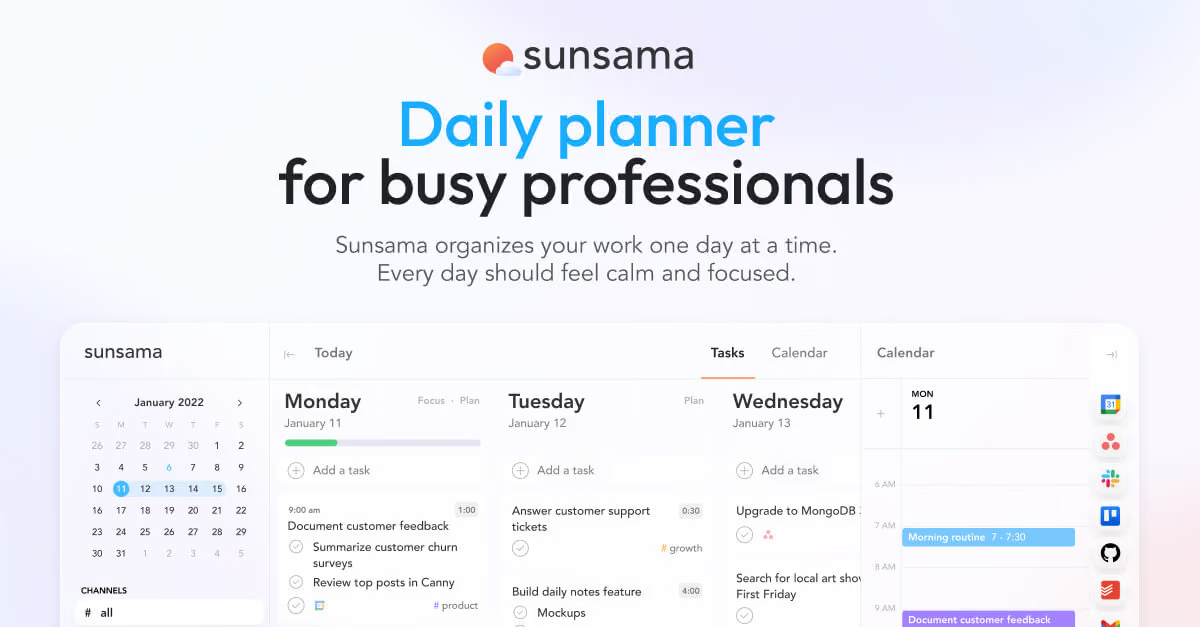
Sunsama is a daily planner you pay for from day one, and it says so with some pride. Its pricing page carries a manifesto arguing that free-forever plans create bad incentives, that whole-dollar prices beat $24.99 tricks, and that there will be no Black Friday sale.
That narrows the buying question. You are not choosing between tiers; you are deciding whether the habit of planning each day inside Sunsama is worth roughly a dollar per workday, and whether to commit for a year to save 20%.
This review prices the one individual plan on both billing options, adds up a first year against Motion, Akiflow, Reclaim.ai, TickTick and Todoist, and names the people who should not buy it.
Every Sunsama figure comes from Sunsama's pricing page, checked on November 4, 2026, and every rival price from that vendor's own pricing page on the same day.
Toolradar data: among the 99 calendar tools tracked on Toolradar, the software directory we run, 63% have a free plan and Sunsama does not; its monthly price ranks 23rd of the 31 with a verified entry price, against a peer median of $12 a month, as of November 3, 2026.
Sunsama is also listed as an alternative to 19 other tools, 12th of the 99. For the wider field, see our best daily planner apps ranking.
What is Sunsama?
Sunsama is a paid digital daily planner that puts tasks and calendar events in one plan for the day, made by Summay, Inc., a Y Combinator company.
It pulls work in from the tools where it already lives, Asana, ClickUp, GitHub, Gmail, Google Calendar, Jira, Linear, Microsoft Teams, Notion, Outlook, Slack, Todoist, Trello and others, then asks you to choose what fits in today and drag it onto your calendar as timeboxes.
The product is built around rituals more than lists. A guided morning plan sets a realistic workload, a focus mode with a Pomodoro-style timer and app muting runs during the day, and a daily shutdown records what you finished, so the day has a defined end.
The pricing card lists AI, MCP and Zapier access on the paid plan, and Sunsama states it is SOC 2 compliant. Apps exist for iOS and iPadOS, Android, macOS, Windows and Linux. For the directory listing, see the Sunsama profile on Toolradar.
How Sunsama works
A day in Sunsama has three steps, and the value depends on doing all of them. In the morning you review the backlog pulled from connected apps, pick today's tasks and give each a time estimate. Seeing those estimates next to the meetings already on your calendar is what keeps the workload realistic, which is the whole promise of the product. You then drag tasks onto the calendar as timeboxes, or let auto-scheduling place them.
During the day, focus mode shows one task with a timer, and new requests from Slack, Teams or email can be turned into tasks without leaving the plan. At the end of the day, the shutdown ritual logs what got done and records your progress. Weekly objectives sit above the daily plan for people who review progress once a week.
That structure is also the cost. Sunsama asks for a planning session every morning and a shutdown every evening, and a person who skips the rituals pays for a calendar view they already had.
If you want a tool that reshuffles your calendar automatically with no daily review, an AI scheduler such as Motion or Reclaim.ai fits better; our AI scheduling apps ranking compares them.
Sunsama key features
Sunsama pricing
Sunsama sells one individual plan, Pro, on Sunsama's pricing page, read in US dollars on November 4, 2026. It costs $17 a month billed yearly, which the pricing FAQ states as $204 a year, or $22 a month billed monthly.
The yearly option is 20% off by Sunsama's own label. Every feature is in that one plan; Enterprise, for SSO, SCIM and audit logs, is priced by contacting the company. The trial lasts 14 days with no credit card, and Sunsama does not offer a free plan or a lifetime deal.
A first year for one person, by our arithmetic on each vendor's printed prices: Sunsama costs the printed yearly total above, or $264 on monthly billing. Akiflow Pro costs $228 billed yearly (printed) or $408 at $34 a month.
Motion's Pro AI plan for one person costs $348 at $29 a month billed annually, or $588 at $49 a month. Reclaim.ai Starter costs $120 on yearly billing, TickTick Premium $49.99 and Todoist Pro $60. Sunsama is the cheapest of the three dedicated planners on either billing option; the three tools with free plans cost less and also do less daily planning.
Monthly or yearly? On monthly billing, the tenth month takes your total past the yearly price. If you are not confident you will still plan in Sunsama after nine months, monthly is the safer bet; past that, yearly saves $60.
Sunsama's FAQ says a cancelled subscription keeps working until the end of the billing cycle. For a team, each person added to a workspace is billed at the same per-person rate and prorated in the first month, so five people on yearly billing come to $1,020 a year.
Price history: an archived copy of Sunsama's pricing page from January 12, 2025 showed $20 a month on monthly billing and $16 a month billed annually, so the monthly price is up 10% since then.
Methodology: we read the pricing pages of Sunsama, Motion, Akiflow, Reclaim.ai, TickTick and Todoist on November 4, 2026, used list prices only (Akiflow's one-hour coupon banner is a limited-time offer and is left out), and multiplied monthly prices by 12 where a vendor prints no yearly total.
| Plan | Price | Best for |
|---|---|---|
| Sunsama, billed yearly | $17/mo ($204/year) | Every feature, unlimited usage and integrations, AI, MCP and Zapier access |
| Sunsama, billed monthly | $22/mo | Same features with no annual commitment; cancel from the app at any time |
| Sunsama, a year on monthly billing | $264/year (our arithmetic) | Twelve monthly payments; costs more than the yearly plan from the tenth month |
| Free trial | $0 for 14 days | Full access, no credit card asked until the trial ends |
| Enterprise | Contact sales | SSO and SAML, SCIM, audit logs, custom privacy and data terms |
Sunsama pros and cons
What we like
- One plan with every feature, so there is no tier to outgrow.
- 14-day trial with no credit card, and cancellation without contacting support.
- Pulls tasks from Asana, Jira, Linear, Notion, Trello, Gmail, Slack and more.
What could be better
- No free plan at all; Sunsama states it does not plan to add one.
- Monthly billing costs 29% more than yearly over 12 months.
- The value depends on a daily planning ritual you have to keep up.
Who Sunsama is for
Sunsama suits a professional whose day is a mix of meetings and tasks scattered across several tools: an engineering manager with Jira and Linear tickets, a founder answering Slack and email, a consultant juggling client work.
It rewards people who will do the morning plan and the evening shutdown every day, and who want a calm list rather than an algorithm moving blocks around. Teams that need IT approval get a SOC 2 statement and an Enterprise tier with SSO.
Skip it if you want something free or close to free: a task list with dates covers most people, and our Todoist review and Todoist vs TickTick comparison price those.
Skip it too if you want the calendar to reorganize itself without a daily review, since Motion and Reclaim do that work for you. The closest like-for-like rival is Akiflow, which also has no free plan.
And if you mainly manage projects for a team rather than your own day, a project tool such as Asana, Linear or Trello is the purchase to make first; Sunsama sits on top of those, not in place of them.
Best Sunsama alternatives
If Sunsama is not the right fit, these are the closest options.
| Tool | Best for | Starts at | |
|---|---|---|---|
| Sunsama | Professionals who plan every workday by hand and want tasks from many tools on one calendar. | No free plan | Visit → |
| Motion | People who want AI to schedule tasks onto the calendar and reshuffle them automatically. | Pro AI for one person $29/mo billed annually ($49 monthly) | Visit → |
| Akiflow | Keyboard-driven planners who want fast capture from many inboxes and a time-blocking calendar. | Pro $34/mo billed monthly or $228/year billed yearly | Visit → |
| Reclaim.ai | Google or Outlook users who want focus time and habits defended automatically at low cost. | Free Lite plan | Visit → |
| TickTick | Budget buyers who want tasks, a calendar view, habits and countdowns in one app. | Free plan | Visit → |
| Todoist | Anyone who needs a dependable task list with dates and a calendar layout, not a planning ritual. | Free Beginner plan | Visit → |


The bottom line
Sunsama is worth paying for if you will plan each workday in it, and it is the cheapest of the dedicated daily planners compared here on either billing option. On yearly billing one person pays $24 less than with Akiflow and $144 less than on Motion's Pro AI plan for a solo user, by our arithmetic on prices read on November 4, 2026.
Pay monthly for the first months if you are unsure, because a yearly plan only pays off from the tenth month, and do not wait for a holiday discount: Sunsama states it runs no Black Friday or Cyber Monday sales.
It is not worth it if a free or $50-a-year task list would do the job, or if you want software that schedules your day without a daily review.
Compare it with the field in our daily planner apps ranking, read the Notion review if your tasks live in Notion, and see AI for productivity for where AI planners help.
For a second opinion on the same product, Dupple's Sunsama review covers it from another angle, and Toolradar's Sunsama vs TickTick comparison lines the two up feature by feature.
Cite this: Techpresso, "Sunsama Review 2026: Pricing, Pros, Cons and Alternatives", November 2026.
Frequently asked questions
How much does Sunsama cost in 2026?
Does Sunsama have a free plan?
Is Sunsama cheaper than Motion or Akiflow?
Should I pay for Sunsama monthly or yearly?
Does Sunsama do Black Friday deals or student discounts?
How much does Sunsama cost for a team?
Sources
Prices and plan details come from each vendor's own pricing page, re-checked by the Toolradar pricing tracker.
- Sunsama pricingchecked Sep 2026
- Motion pricingchecked Sep 2026
- Reclaim.ai pricingchecked Sep 2026
- Todoist pricingchecked Sep 2026
Some offers on this page may be paid placements or contain affiliate links.
Get the Techpresso brief
Free daily newsletter, read in 5 minutes.
Subscribe free