
Smartsheet Review 2026: Pricing, Pros, Cons and Who It Fits
Pro, Business and the custom tiers priced per member, what free contributors save a team, and how Asana, monday.com, Wrike and ClickUp compare.

Smartsheet Pro costs $9 per Member a month and Business $19, both billed yearly, with yearly billing about a quarter cheaper than monthly, read on Smartsheet's pricing page on October 19, 2026. It is worth it for a team that plans in grids and Gantt charts and shares work with many stakeholders, because only the people who build and edit sheets need a paid seat.
The catches sit in the plan limits. Pro stops at 10 Members, 250 automations a month and 1 sheet per report, so most teams that report across projects land on Business. There is no free plan, and timeline view, workload tracking and the API all start on Business.
Key factsBest for: Spreadsheet-minded teams and PMOs sharing plans with many…
- Sheet-based work management with Gantt, dashboards and free Contributors on every plan.
- Plan limits: Pro allows up to 10 Members, and Business requires at least 3.
- Free trial: Smartsheet offers 30 days free with no credit card, but no free plan.
- Billing: Yearly billing costs about a quarter less than monthly billing on both self-serve plans.
- Alternatives covered: Asana, monday.com, Wrike, ClickUp
Pros
- Unlimited free Contributors can view, comment, upload files and submit forms on every plan.
- Cell, column and cross-sheet formulas with dependencies and cell history are on Pro.
- AI features such as Smart Assist and formula generation are included from Pro.
Cons
- Pro stops at 10 Members, 250 automations a month and 1 sheet per report.
- No free plan, and timeline view, workload tracking and the API need Business.
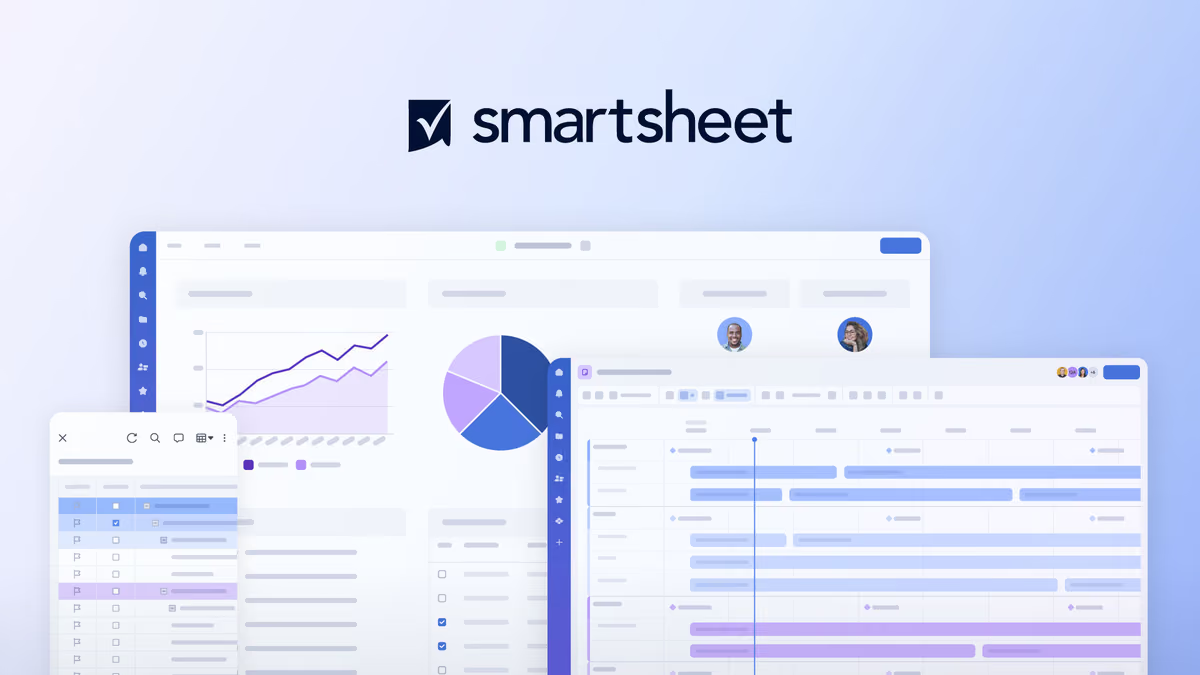
Smartsheet is the project tool for people who think in spreadsheets. Its core is a grid that behaves like a sheet, with formulas, cross-sheet links and dependencies, and every other view (Gantt, board, calendar, table) is a different lens on the same rows. Teams moving off Excel trackers find it familiar in a way that card-first tools are not.
The pricing model is the second reason teams pick it. A paid Member can create and edit; a Contributor can view, comment, upload attachments, answer update requests and submit forms for free, in unlimited numbers on every plan. A five-person PMO that reports to forty stakeholders pays for five seats.
Toolradar data: Toolradar, the software directory we run, tracks 233 project management tools as of October 2026, and among the 68 that publish a verified entry price the median entry plan is $13 a month. Smartsheet's yearly Pro price sits below that median, but it is one of the 51% of tracked tools with no free plan.
Buyers cross-shop it often: Smartsheet on Toolradar is listed as an alternative to 36 other tools, fifteenth of the 233 on the project management ranking.
The comparison set is Asana, monday.com, Wrike and ClickUp, each with a per-user price on its own site; Toolradar also profiles Asana and Wrike.
How we compared: every price was read on the vendor's own pricing page on October 19, 2026, team totals are our multiplication of published per-seat prices, and Techpresso did not run a project in any of these tools.
What is Smartsheet?
Smartsheet is a cloud work management platform built on sheets. A sheet holds rows of tasks or records with typed columns, cell and cross-sheet formulas, dependencies and baselines, and you switch between grid, Gantt, board, calendar and table views of the same data. Dashboards and reports pull figures from many sheets into one view.
Around the sheet sit forms for intake, automations for reminders, approvals and update requests, and a set of AI features: Smart Assist, AI-powered Smart Columns, an AI dashboard builder and plain-language formula writing, all included from Pro.
The higher tiers turn it into a portfolio tool. Enterprise adds portfolios, scenario planning, SAML-based SSO and directory integrations, and Advanced Work Management bundles Control Center, Dynamic View, Data Shuttle, DataMesh and premium support for organizations running hundreds of projects from templates.
How Smartsheet works
You start from a template or a blank sheet, define columns, and add rows. The formulas are the part spreadsheet users adopt fastest: a status column can calculate itself from dates, and a summary sheet can pull values from twenty project sheets with cross-sheet references.
Work comes in through forms, which Contributors and outside requesters can submit for free, and automations route it: assign a row, request an update, move a row to another sheet, or send an alert to Slack or Microsoft Teams. Pro caps these at 250 automated runs a month; Business removes the cap.
Reporting is where the plans split. Pro allows 1 sheet per report and 10 widgets per dashboard, which suits a single project. Business lifts both to unlimited and adds report grouping and summaries, so a manager can roll up every project into one status view.
Business also connects Smartsheet to Power BI, Tableau and AI assistants such as Claude, ChatGPT, Copilot and Gemini.
Smartsheet key features
Smartsheet pricing
Smartsheet prices were read on October 19, 2026, on Smartsheet's pricing page.
The alternatives come from Asana pricing, monday.com pricing, Wrike pricing and ClickUp pricing. Team totals are our multiplication of each vendor's published per-seat price.
The Member count decides the bill. On yearly billing, 5 Members cost $45 a month on Pro and $95 on Business; on monthly billing, $60 and $120. Pro's cap means an 11th Member forces the whole team onto Business, and Business's 3-Member minimum puts its smallest bill at $57 a month billed yearly. Yearly billing saves $36 per Member a year on Pro and $60 on Business.
Add-ons sit on top of Business and Enterprise: Dynamic View starts at $125 a month and Data Shuttle at $100 a month, and Resource Management and the Standard Support package are separate add-ons on Business. Enterprise and Advanced Work Management are custom-priced, with Enterprise starting at 10 Members.
Against rivals at 5 users on yearly billing, Smartsheet Pro is the cheapest paid option here. Asana Starter is $10.99 per user a month and Wrike Team $10, monday.com Standard costs more per seat, and ClickUp Core only matches Smartsheet at a temporary discount.
The difference that matters more is who needs a seat: Smartsheet's free Contributors can comment and submit forms, where several rivals charge for anyone who edits. For a wider view, see project management software pricing compared.
| Plan | Price | Best for |
|---|---|---|
| Smartsheet Pro | $9/member/mo yearly; $12 monthly | 1 to 10 Members, unlimited free Contributors, 250 automations a month, 20 GB storage |
| Smartsheet Business | $19/member/mo yearly; $24 monthly | 3 or more Members, free Guests, timeline and workload views, unlimited automations, 1 TB storage, API |
| Smartsheet Enterprise | Custom | 10 or more Members, portfolios, scenario planning, SAML SSO, unlimited storage |
| Smartsheet Advanced Work Management | Custom | Enterprise plus Control Center, Dynamic View, Data Shuttle, DataMesh and premium support |
| Asana Starter | $10.99/user/mo yearly; $13.49 monthly | Paid entry plan above a free tier for 2 users |
| monday.com Standard | $12/seat/mo billed yearly | Timeline and Gantt views, 250 automation actions a month, guest access |
| Wrike Team | $10/user/mo billed yearly | 2 to 15 users, interactive Gantt charts, shareable dashboards |
| ClickUp Core | $9/user/mo billed yearly | Discounted from a higher regular price; unlimited Gantt charts and 1K automations a month |
Smartsheet pros and cons
What we like
- Unlimited free Contributors can view, comment, upload files and submit forms on every plan.
- Cell, column and cross-sheet formulas with dependencies and cell history are on Pro.
- AI features such as Smart Assist and formula generation are included from Pro.
What could be better
- Pro stops at 10 Members, 250 automations a month and 1 sheet per report.
- No free plan, and timeline view, workload tracking and the API need Business.
Who Smartsheet is for
Smartsheet fits operations teams, PMOs and agencies that already run projects in spreadsheets. The grid, formulas and dependencies match how they work, and free Contributors let them bring clients and executives into the sheet without buying seats for people who only comment or approve.
It also fits a team that reports across many projects. Once roll-up reports and unlimited dashboards matter, Business is the plan, and its per-Member price is close to rivals' mid tiers.
Skip it if your team wants a lightweight task board. A five-person startup that lives in Kanban cards will find Trello or ClickUp faster to adopt, and a team that wants a free plan has more options on the best project management software list.
Agencies comparing client-facing tools should read project management software for agencies, and a team choosing between the two best-known card tools can start with Asana vs monday.com.
Best Smartsheet alternatives
If Smartsheet is not the right fit, these are the closest options.
| Tool | Best for | Starts at | |
|---|---|---|---|
| Smartsheet | Spreadsheet-minded teams and PMOs sharing plans with many stakeholders | Pro $9/member/mo billed yearly | Visit → |
| Asana | Teams that run work as tasks and goals rather than rows and formulas | Starter $10.99/user/mo billed yearly ($13.49 monthly) | Visit → |
| monday.com | Teams that want colorful boards, automations and AI credits in one plan | Standard $12/seat/mo billed yearly | Visit → |
| Wrike | Cross-functional teams that need Gantt charts and resource planning | Team $10/user/mo billed yearly for 2 to 15 users | Visit → |
| ClickUp | Teams that want tasks, docs, chat and goals in one workspace | Core and Business billed yearly at current discounts, Business $17 (re | Visit → |


The bottom line
Smartsheet is worth its price for teams that plan in sheets and share work widely. The free Contributor role is the deciding feature: it keeps the paid seat count to the people who build plans, and that can make Smartsheet cheaper than a rival with a lower sticker price. Pro is enough for a single team running a handful of projects.
Budget for Business if you report across projects. Pro's 1 sheet per report, 10 widgets per dashboard and 250 automations a month are the limits most growing teams hit first, and there is no free plan to fall back on. Use the 30-day trial to build one real roll-up report before you choose. For the rivals in depth, read the Asana review, monday.com review and Wrike review, or price them with Asana pricing and monday.com pricing. Our method is on the how we rate page.
Cite this: Dupple Techpresso, "Smartsheet Review 2026: Pricing, Pros, Cons and Who It Fits", November 2026.
Frequently asked questions
How much does Smartsheet cost in 2026?
Does Smartsheet have a free plan?
What is the difference between Smartsheet Pro and Business?
Is Smartsheet cheaper than Asana or monday.com?
Is Smartsheet worth it for a small team?
Sources
Prices and plan details come from each vendor's own pricing page, re-checked by the Toolradar pricing tracker.
- Smartsheet pricingchecked Sep 2026
- Asana pricingchecked Sep 2026
- monday.com pricingchecked Sep 2026
- Wrike pricingchecked Sep 2026
- ClickUp pricingchecked Sep 2026
Some offers on this page may be paid placements or contain affiliate links.
Get the Techpresso brief
Free daily newsletter, read in 5 minutes.
Subscribe free