
MindStudio Review
A no-code platform for building and deploying AI agents across 200+ models, with usage billed at cost. Best for solo builders and lean ops teams.

MindStudio is one of the easiest ways to build and ship AI agents without code, and its seat pricing is genuinely cheap: a real free plan, then $20/month (or $16 billed yearly) for unlimited agents and unlimited runs. The catch is usage. Model tokens are billed separately at provider cost, so your real bill is the seat plus whatever the underlying models consume. It is a great fit for solo builders and small ops teams. If you need heavy governance and multi-agent orchestration at enterprise scale, Stack AI is the stronger cross-shop.
Key factsBest for: Solo builders, operators and agencies shipping no-code AI…
- No-code platform to build and deploy AI agents across 200+ models, billed at cost.
- Free plan: Yes, 1 agent, 1,000 runs/mo
- AI models: 200+ via model router
- Alternatives covered: Stack AI, Relevance AI, Botpress, Dify, Gumloop
Pros
- Genuinely usable free plan (1 agent, 1,000 runs, all 200+ models) plus a cheap $20 seat
- One build ships to many surfaces: web app, scheduled agent, browser extension, API and MCP server
- Deep for a no-code tool: JavaScript/Python blocks, RAG, 1,000+ integrations, budget controls
Cons
- Usage is billed on top of the seat, so total cost is hard to predict and tokens can dwarf the $20
- Team governance (SSO, audit logs, permissions) is locked to custom-priced Business
- Broad surface area means a real learning curve past the templates; complex flows get fiddly to debug
AI agent builders are everywhere in 2026, and MindStudio has become one of the names founders and operators keep hearing. It promises that anyone can build and deploy a working AI agent without writing code, and it prices that promise aggressively with a genuine free plan and a $20 seat.
The question a buyer actually has is simpler than the feature list: can a non-engineer really ship something useful, and what will it cost once real usage kicks in?
This review answers both.
I looked at what MindStudio is, how the builder feels in practice, where it gets rough, and how the two-part pricing (a cheap seat plus metered model usage) plays out on a real bill.
I also name the alternatives worth cross-shopping, so you can tell whether MindStudio fits your use case or whether a governance-heavy or self-hosted platform serves you better.
What is MindStudio?
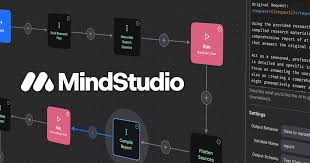
MindStudio is a no-code platform for building, deploying and managing AI agents, made by a San Francisco company of the same name. Instead of stitching prompts together in a chat window, you assemble an agent in a visual IDE: blocks for model calls, logic, data lookups, code and human-approval steps.
The core idea is that one build can ship to many surfaces. A finished agent can run as a hosted web app, an autonomous scheduled worker, a Chrome extension, an email-triggered bot, a webhook or API endpoint, or an MCP server that other tools can call.
Under the hood, the Service Router gives you access to 200+ models from OpenAI, Anthropic, Google, Meta and image or video providers without managing individual API keys, and it meters the token cost for you.
Beyond the builder, MindStudio bundles RAG over your own documents, data extraction from URLs and databases, custom JavaScript and Python functions, version control, auto-generated tests, and per-agent budget controls. It sits between pure workflow tools like Zapier and code-first frameworks, aimed at people who want real agents without writing the plumbing.
How MindStudio works
You start from a template (there are 100+) or a blank canvas, then describe what you want; MindStudio can scaffold the logic for you, which shortens the blank-page problem. Day to day, building means dragging in steps, wiring one block's output into the next, and testing runs live in the same window with a debug panel that shows each step's input and output.
Swapping models is a dropdown, not a code change, so you can trial Claude, GPT and Gemini on the same agent and compare cost and quality. Connecting data is straightforward: upload files for RAG, point at a URL, or pull from one of the 1,000+ integrations.
When logic gets gnarly you drop into a JavaScript or Python function block. Publishing is a few clicks to whichever surface you want. The rough edges show up as you scale: complex multi-step agents get hard to trace, error handling takes trial and error, and the sheer number of options means the first serious agent takes longer than the marketing suggests. Once a pattern clicks, though, shipping the next agent is fast.
MindStudio key features
MindStudio pricing
MindStudio, Botpress, Dify and Gumloop publish a starting price, while Relevance AI now sells only a custom Enterprise plan and Stack AI pairs a free plan with a custom Enterprise quote. The cheapest paid entry is MindStudio Individual at $16/mo billed yearly, or $20/mo monthly (a 20% saving), above a free plan at $0/mo plus usage.
Gumloop Pro is next from $37/mo with a 14-day trial, then Dify Professional at $59/mo and Botpress Plus at $150/mo billed annually. Costs jump at Dify Team ($159/mo) and Botpress Team ($750/mo billed annually), and paid Stack AI capacity is quote-only.
MindStudio bills model tokens at provider cost with no markup, so the seat is not the whole bill. Stack AI and Botpress also have free plans, and Dify is free to self-host or on Cloud Sandbox.
| Plan | Price | Best for |
|---|---|---|
| MindStudio Free | $0/mo plus usage | 1 agent, 1,000 runs/mo, 200+ models |
| MindStudio Individual | $20/mo or $16/mo yearly (20% saving) | Unlimited agents and runs; tokens at cost, no markup |
| MindStudio Business | Custom quote | Team workspaces, permissions, SSO, audit logs, budget alerts, domains, self-hosting, SLAs, MSAs |
| Stack AI Free | $0/mo | 500 runs a month |
| Stack AI Enterprise | Custom quote | Enterprise plan on a custom quote |
| Relevance AI Enterprise | Custom quote | Only published plan, custom credits |
| Botpress Free | Free | 25 conversations, no top-ups or overages |
| Botpress Plus | $150/mo, billed annually | 250 conversations a month, $25 AI usage included |
| Botpress Team | $750/mo, billed annually | 1,500 conversations a month, $150 AI usage included |
| Botpress Enterprise | Custom quote | Enterprise plan on a custom quote |
| Dify self-host | Free (open source) | Open-source and free to self-host |
| Dify Cloud Sandbox | Free | Free cloud sandbox |
| Dify Professional | $59/mo | Paid cloud plan |
| Dify Team | $159/mo | Higher paid cloud plan |
| Dify Enterprise | Custom quote | Enterprise plan on a custom quote |
| Gumloop Pro | From $37/mo | 20k credits a month, 14-day free trial |
| Gumloop Enterprise | Custom quote | Custom plan, credit-based usage |
MindStudio pros and cons
What we like
- Genuinely usable free plan (1 agent, 1,000 runs, all 200+ models) plus a cheap $20 seat
- One build ships to many surfaces: web app, scheduled agent, browser extension, API and MCP server
- Deep for a no-code tool: JavaScript/Python blocks, RAG, 1,000+ integrations, budget controls
What could be better
- Usage is billed on top of the seat, so total cost is hard to predict and tokens can dwarf the $20
- Team governance (SSO, audit logs, permissions) is locked to custom-priced Business
- Broad surface area means a real learning curve past the templates; complex flows get fiddly to debug
Who MindStudio is for
MindStudio is a strong fit for solo builders, indie hackers and lean ops teams who want to ship working agents without hiring an engineer.
If you are automating your own workflows, building internal tools, or packaging an agent as a small product, the free plan and the $20 seat are hard to beat on price, and the multi-surface deployment means you are not locked into one delivery format.
Agencies and consultants building agents for clients also do well here, since one account can produce many agents cheaply. Who should skip it: large enterprises that need SSO, audit logs and role-based governance from day one will find those gated behind custom Business pricing, and may prefer a platform where governance is standard.
Teams whose entire use case is a customer-facing support chatbot are better served by Botpress, and developers who want to self-host an open-source stack should look at Dify. If you need heavyweight multi-agent orchestration for a sales or ops "workforce," Relevance AI is the more direct tool.
Best MindStudio alternatives
If MindStudio is not the right fit, these are the closest options.
| Tool | Best for | Starts at | |
|---|---|---|---|
| MindStudio | Solo builders, operators and agencies shipping no-code AI agents on a budget | From $20/mo (Individual, or $16/mo billed yearly) | Visit → |
| Stack AI | Enterprise and regulated teams that need compliance and governance around no-code AI apps | Free plan (500 runs/mo) | Visit → |
| Relevance AI | Teams building an 'AI workforce' of multi-agent sales and ops assistants | Custom quote (Enterprise plan only) | Visit → |
| Botpress | Customer-facing chatbots and conversational support agents across channels | Free plan (25 conversations) | Visit → |
| Dify | Developers who want an open-source LLM app platform they can self-host | From $59/mo (Professional) | Visit → |
| Gumloop | Ops teams automating data-heavy AI workflows on a visual canvas | From $37/mo (Pro, credit-based) | Visit → |


The bottom line
MindStudio is one of the best value ways to get into building AI agents right now. The combination of a genuinely free tier, a $20 seat, and models billed at cost is rare, and the builder is capable enough to grow with you from a personal automation to a shipped product.
The honest caveat is that the low seat price is not the whole bill: usage is metered on top, so budget for token spend and set limits early. It is the right pick for solo builders, operators and agencies who value flexibility and price.
Look elsewhere when your needs are narrower or heavier: choose Stack AI for enterprise governance and compliance, Relevance AI for a multi-agent workforce, Botpress for conversational support bots, or Dify if self-hosting an open-source platform matters.
For most individuals and small teams testing the agent waters, MindStudio is an easy, low-risk place to start.
Frequently asked questions
How much does MindStudio cost?
Is MindStudio worth it?
Does MindStudio have a free plan or trial?
What are the best MindStudio alternatives?
Do I need to know how to code to use MindStudio?
Sources
Prices and plan details come from each vendor's own pricing page, re-checked by the Toolradar pricing tracker.
- MindStudio pricingchecked Sep 2026
- Stack AI pricingchecked Sep 2026
- Relevance AI pricingchecked Sep 2026
- Botpress pricingchecked Sep 2026
- Dify pricingchecked Sep 2026
- Gumloop pricingchecked Sep 2026
Some offers on this page may be paid placements or contain affiliate links.
Get the Techpresso brief
Free daily newsletter, read in 5 minutes.
Subscribe free